Tehran Clouds - Rebuilding a Real Sky with an AI Agent
Idea:
Drag the line. Left is Hadi’s video, right is the simulation.
I was scrolling X that I saw this beautiful time-lapse of Tehran’s sky by Hadi Nikkhah. Clouds moving over the city, the snowy Alborz mountains behind them and the cloud shadows sliding on the mountains.
این ویدئو تایم لپس رو از آسمون پاک تهران گرفتم، حرکت ابرها خیلی قشنگ بود pic.twitter.com/4ZMirZ9jb7
— 🌳 Hadi (@hadinik) November 10, 2026
I wanted to see what an AI agent can really do with something like this. So I gave the link to Claude Fable 5.2 in Claude Code and asked for the most accurate 3D simulation it can make, so close that you can’t tell which one is the real video.
Not just pretty clouds:
Making nice clouds with noise is not that hard, games do it all the time. But I wanted the same clouds of the video, in the same places, at the same moments. So the agent used the video itself as the data.
Where is the camera?
First it needed to know where the phone was. It took the elevation data of the Alborz mountains and matched the skyline of the video with it. That gave the camera position in west Tehran, the direction it looks at and its lens, with about 2 pixels of error. It even found that the phone moved about 5 pixels in the first seconds of the video, and fixed that in every frame.
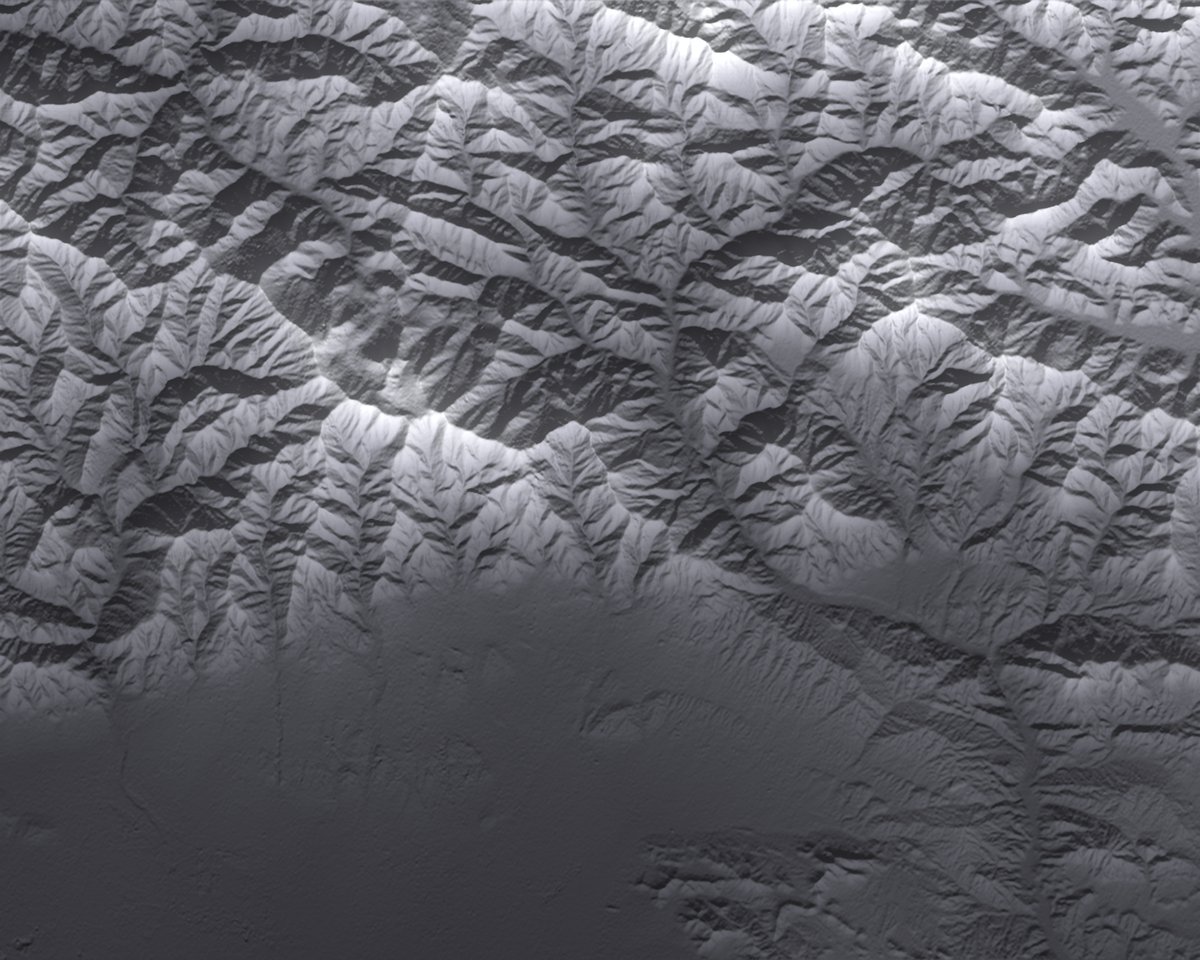 The Alborz from the elevation data. The flat part at the bottom is Tehran.
Sun, clouds and shadows:
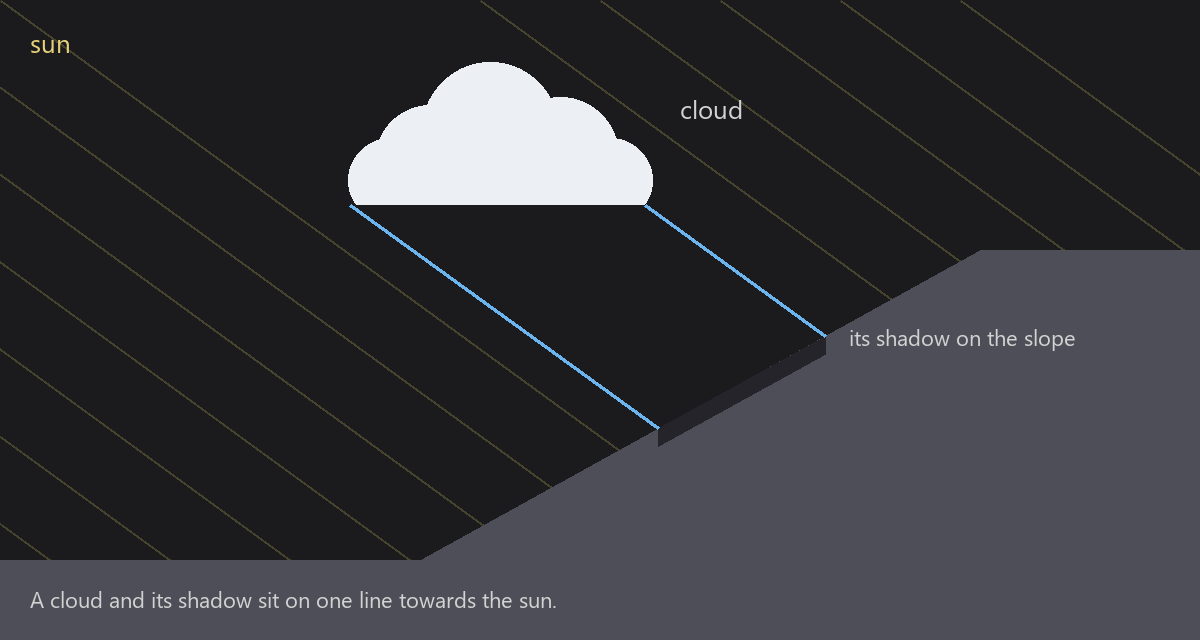
Every cloud shadow on the mountains is on a straight line from its cloud towards the sun. So if you know the sun direction and the height of the clouds, you can match each dark spot on the mountains with its cloud in the sky. The agent searched for the sun direction and the cloud height that match best.
It did this in two ways. Once only from the shadows, and once from the sun path over Tehran on the day the video was posted. The two answers were less than 5 degrees apart. The shadows also told the time: each frame is about 4 seconds, so these 21 seconds are about 42 minutes of a late morning.
Clouds from the video:
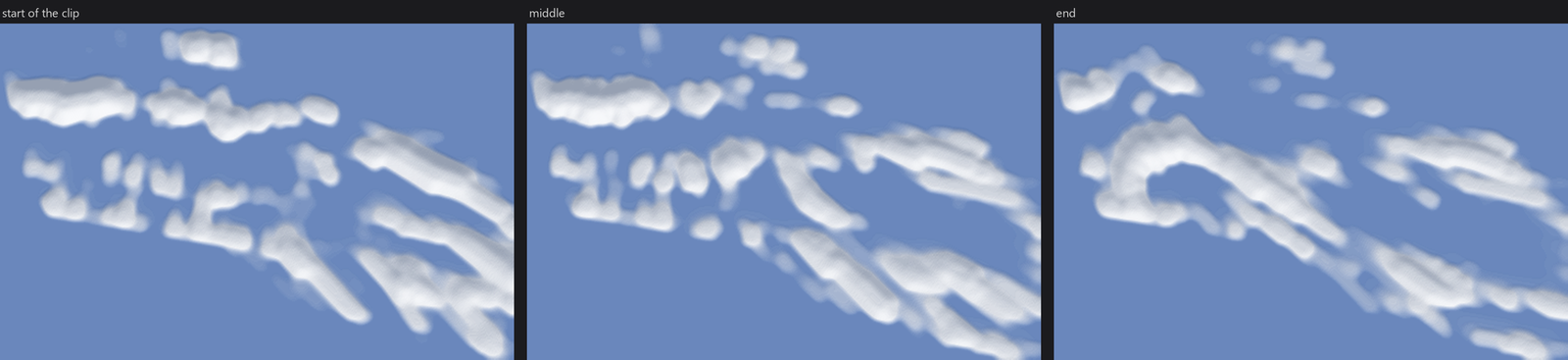 The cloud field from above, rebuilt from the video, on a map that moves with the wind.
Then it projected every second frame back to the height of the cloud bases, on a map that moves with the wind. This gives the outline of each cloud. Each cloud became a heap with a flat bottom that fits inside that outline. The clouds behind the camera never come into the video, but their shadows do, so those were built from their shadows.
There is also a thin layer of high clouds that moves faster and in a slightly different direction. The agent separated it from the puffy clouds by the way they move.
Rendering:

Everything runs in a web page with WebGL2. The clouds are ray-marched volumes with several layers of noise, from big kilometre-size shapes down to small frayed edges. The same volume makes the shadows on the mountains. The live page runs in real time on my PC, and the full quality video takes about 27 minutes to render.
- Video638 frames from a phone
- Camerathe skyline matched with the terrain
- Sun and cloud heightfrom the shadows on the mountains
- Windhow the clouds move between frames
- Cloud shapesoutlines on a map that moves with the wind
- Renderingray-marched clouds in the browser
- Checknumbers, and a blind reviewer
It wasn’t one shot:
The first version was ready after 2 hours and 42 minutes. Clouds were in the right places, but you could easily tell which one is fake. Clouds were too thick and smooth, the light direction was wrong and the buildings were simple boxes.
I sent my notes and the agent found the main problem. The sun direction was almost right, the cloud height was wrong. It had guessed 4,750 metres, but the shadows say about 3,600. With the wrong height every shadow was in the wrong place.

The second version passed all the numbers of its own check, but it still looked fake. Cloud bottoms were too flat and the line between light and shadow inside the clouds was too sharp. I told it the next version must be the last one, with everything it has.
For the third round it added a blind test. Another model that didn’t build the render got pairs of real and fake frames and had to find the fake one. Once it scored 15 of 24, almost random, but then we saw it had just picked the bottom image in 22 of the 24 pairs.
After the third round the output was good enough for me. Only the cloud shadows on the buildings were too sharp and made a flickering feeling. A cloud moves about 35 metres between two frames, so a sharp shadow edge jumps on the buildings. Blurring the shadow over 160 metres fixed it.

Things that didn’t go well:
- It delivered versions while it could see the problems itself, and offered me “a next step”.
- It asked me if it should take the colours of the mountains from the video. That was its own decision to make.
- The first full render used about 95% of my GPU and the whole PC became slow. I had to open another session to find out what was happening.
Numbers:
| From my first message to the last video | about 21 hours |
| Agent work time | about 11 hours, in 6 sessions |
| Model calls | 739 |
| Tokens read | about 235 million (98% from cache) |
| Tokens written | about 1.65 million |
| Price at API rates (Fable only) | about $157 |
It ran on my subscription, but it used almost all of the week’s Fable limit, so the last fix ran on Claude Opus 5.5.
Is it the same as the real one?
Not 100%. If you put them side by side and look carefully, you can find the fake one. But these are the real clouds, in the real places, under the real sun.
Original time-lapse by Hadi Nikkhah. Elevation data: Mapzen / AWS Terrain Tiles (SRTM).